GCash & Maya Bank Transfer Secure Deposits Fast Withdrawals Philippine Pesos

4217 Payment Guide – Deposit and Withdraw in Philippine Pesos Using GCash, Maya, and Local Bank Transfer

The 4217 Payment section covers everything Filipino players need to know about funding their account and receiving payouts — from GCash and Maya e-wallets to local bank transfers in Philippine pesos. Whether you are depositing for the first time or checking how long a withdrawal takes, this page walks you through how payments work on 4217 so you can manage your balance with confidence on any mobile device in the Philippines.
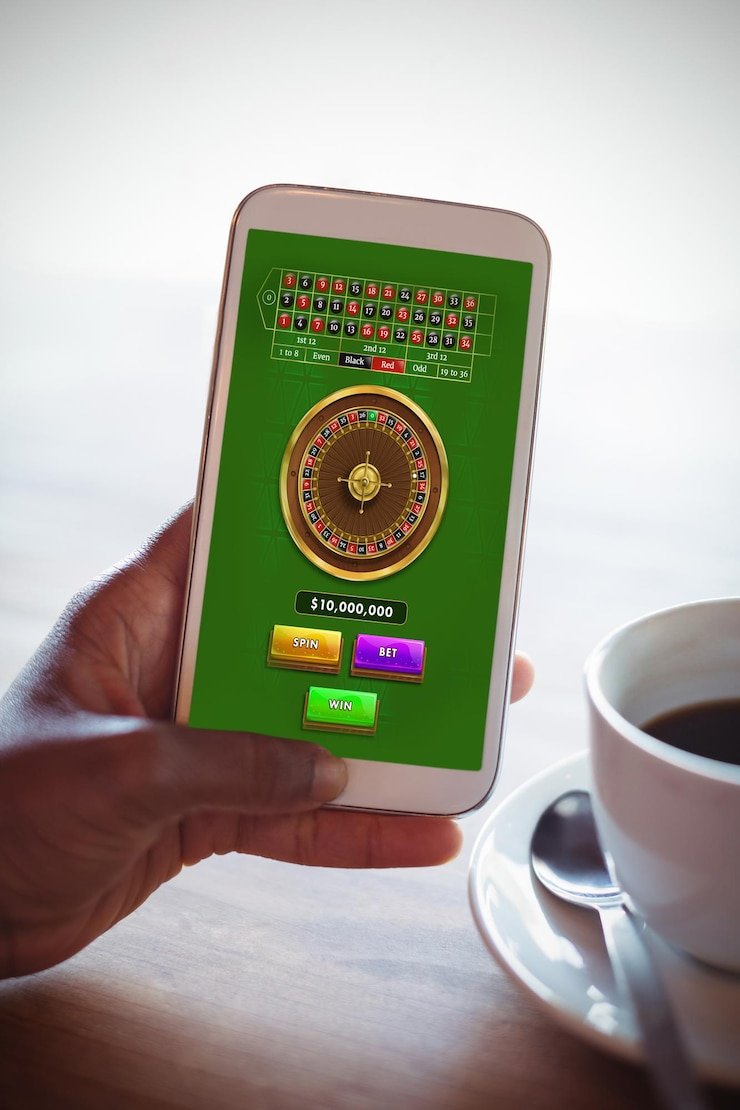

Filipino player completing a GCash deposit on 4217 payment screen
GCash Deposits Accepted Maya E-Wallet Supported Local Bank Transfer PHP Peso Transactions Verified Secure Payments Fast Withdrawal Processing Deposit Reflects Quickly Mobile-First Experience Voucher Codes on Deposit Verified Accounts Only GCash Deposits Accepted Maya E-Wallet Supported Local Bank Transfer PHP Peso Transactions Verified Secure Payments Fast Withdrawal Processing Deposit Reflects Quickly Mobile-First Experience Voucher Codes on Deposit Verified Accounts Only

What Payment Methods Does 4217 Accept for Filipino Players?

4217 accepts GCash and Maya as the primary e-wallet payment options for Filipino players, making it easy to deposit and withdraw directly from your smartphone without visiting a bank branch or ATM. Both GCash and Maya transactions on 4217 are processed in Philippine pesos, so there are no currency conversion fees for players based in the Philippines. Local bank transfers are also supported for players who prefer to move funds directly from their savings or current account. All payment methods on 4217 are accessible through the mobile browser on any Android or iOS device, meaning you can complete deposits and check withdrawal status without downloading a dedicated app. Understanding which method works best for your situation — whether speed, minimum amount, or daily limit matters most — will help you make the most of your 4217 account balance from day one.

Three Ways to Fund Your 4217 Account

Each method is designed to fit how Filipino players actually bank and move money day to day.

GCash – Instant Mobile Deposits

GCash is the most widely used digital wallet in the Philippines, and 4217 integrates it so that deposits are reflected in your playing balance almost immediately after the GCash transfer is confirmed. To deposit via GCash, log in to your 4217 account on your mobile browser, navigate to the deposit screen, select GCash as your payment method, enter the amount in Philippine pesos, and follow the GCash authentication step on your phone. The minimum deposit amount via GCash is clearly displayed on the payment screen so you always know the threshold before you commit. If you have a voucher code, the deposit screen is also where you apply it — the bonus credit is calculated automatically once the GCash transaction clears. GCash withdrawals from 4217 are processed back to the same GCash number linked to your registered account, which keeps the payout trail clean and reduces processing delays for players across the Philippines.

Maya – Seamless E-Wallet Transfers

Maya, formerly known as PayMaya, is fully supported on 4217 and works identically to GCash from a player experience perspective — you select Maya at the deposit or withdrawal screen, enter your amount in Philippine pesos, and authenticate through the Maya app on your device. One advantage of Maya for some Filipino players is that it can be linked to a physical Maya card, giving you an additional way to manage and access your funds outside the 4217 platform. Deposits via Maya on 4217 are also near-instant, with processing times typically under a few minutes for amounts within the standard daily transfer limit of the Maya app. If you are a player who uses both GCash and Maya, you can choose whichever wallet has the available balance at the time of your deposit — 4217 does not restrict you to a single e-wallet per account. For withdrawal, Maya payouts are directed back to your registered Maya account, and the timeline aligns with the same withdrawal processing schedule as other payment methods on the platform.

Bank Transfer – For Larger Transactions

Local bank transfer on 4217 is a solid option for Filipino players who prefer to move larger amounts directly from their BDO, BPI, UnionBank, or other local bank account without going through an e-wallet intermediary. Bank deposits typically take slightly longer to reflect in your 4217 balance compared to GCash or Maya, as clearing times depend on the sending bank's processing schedule — most local transfers settle within a few banking hours during regular business days. The 4217 deposit screen provides the necessary bank account details and reference number format for each bank transfer, and it is important to include the correct reference number so the system can match your payment to your account automatically. Withdrawals via bank transfer are processed by the 4217 payments team and returned to the verified bank account registered to your profile, so your account name must match the bank account holder name to avoid delays. Bank transfer is especially useful for players who regularly deposit amounts that exceed the daily send limits of GCash or Maya, giving them a reliable alternative route for larger PHP peso transactions.

How to Make Your First Deposit on 4217

The full deposit process works on mobile browser — no app install needed. Here is how it looks step by step for Filipino players.

  • 1
    Register and Verify Your Account

    Head to the 4217 registration page, complete your details, and confirm your account. Verification is required before your first deposit is processed, so having your valid ID ready speeds up the process significantly.

  • 2
    Go to the Deposit Screen

    Once logged in, navigate to the deposit or cashier section of your 4217 account. On mobile, this is typically one tap from your account dashboard — the interface is designed for Filipino players using smartphones on GCash or Maya.

  • 3
    Select Your Payment Method and Amount

    Choose GCash, Maya, or bank transfer from the available options. Enter the amount in Philippine pesos — make sure it meets or exceeds the minimum deposit threshold shown on screen. If you have a promo code, apply it here before confirming.

  • 4
    Authenticate and Confirm

    Complete the payment authentication in your GCash or Maya app, or follow the bank transfer reference instructions. Once the payment clears, your 4217 balance updates and you can start betting on sports or playing casino-style games right away.

Step-by-step deposit process on 4217 using GCash on a mobile phone in the Philippines

Payment Methods at a Glance

A quick comparison of the three deposit and withdrawal options available to Filipino players on 4217.

Method Deposit Speed Withdrawal Speed Currency Best For
GCash Near-instant Within processing window PHP ₱ Quick mobile top-ups
Maya Near-instant Within processing window PHP ₱ E-wallet flexibility
Bank Transfer A few banking hours 1–2 banking days PHP ₱ Larger PHP amounts

Once your balance is funded, these sections are where you go next on 4217.

Bet on Sports

With your PHP balance ready, head to the Bet section to browse live and pre-match markets for PBA basketball, football, and other popular sports events followed by Filipino fans on 4217.

Explore the Casino

Your deposited balance can also be used on slots, live table games, and other casino-style titles in the Casino section — no separate wallet or additional funding step required after your first deposit on 4217.

Apply a Voucher

Before or during your deposit, check the Voucher section for active promo codes that can boost your balance. Welcome codes and reload offers are applied at the same deposit screen where you choose GCash or Maya.

Payment FAQs for Philippine Players

Straightforward answers to the most common deposit and withdrawal questions on 4217.

To deposit using GCash on 4217, log in to your account on the mobile browser, go to the deposit or cashier section, and select GCash as your preferred payment method. Enter the amount in Philippine pesos — making sure it meets the minimum deposit shown — then follow the on-screen prompt which redirects you to GCash authentication on your phone. Once you approve the transfer in the GCash app, the transaction is confirmed and your 4217 balance is updated almost immediately. If you have a voucher or promo code, apply it in the code field on the deposit screen before completing the GCash transfer so the bonus credit is linked to that specific deposit. For any GCash deposit that does not reflect within the expected timeframe, the FAQ page has the steps for following up with the 4217 support team.

Withdrawal processing times on 4217 depend on the payment method you selected when submitting your payout request. GCash and Maya withdrawals are generally the fastest option, with most requests processed back to your registered e-wallet within the standard processing window outlined in the platform's terms. Bank transfer withdrawals to Philippine local banks typically take one to two banking days to reflect in your account, depending on the receiving bank's clearing schedule. Your account must be fully verified and the withdrawal destination must match the payment method used for your original deposit to avoid delays in the payout. If your withdrawal has been pending longer than the stated processing time, visiting the FAQ section provides the correct steps for raising a follow-up with the 4217 payments team.

Yes, 4217 sets a minimum deposit amount for each payment method, and the exact threshold is displayed on the deposit screen when you select your preferred option — whether that is GCash, Maya, or bank transfer. The minimum amounts are set in Philippine pesos and are designed to be accessible for Filipino players across different budget levels, so you do not need to commit a large amount for your first top-up. Some vouchers and welcome bonus codes also require a minimum deposit to activate the associated bonus credit, and the voucher terms state this clearly before you apply the code. If the amount you enter falls below the minimum, the system will notify you before the transaction proceeds so you can adjust accordingly. For the most up-to-date minimum deposit figures for each method, check the deposit screen directly after logging in to your 4217 account.

Yes, Filipino players can use both GCash and Maya on the same 4217 account — you are not restricted to a single e-wallet for the lifetime of the account. At each deposit, you simply choose which method you want to use at that moment, giving you flexibility depending on which wallet has available balance or better suits the amount you intend to deposit. Withdrawals are returned to the payment method you used for that specific deposit or to a verified withdrawal destination registered in your account settings, so keeping both GCash and Maya linked and verified is a smart approach for regular players. There is no additional fee on the 4217 side for switching between payment methods across different deposits. If you are unsure whether both methods are currently available on your account, logging in and opening the deposit screen will show you the full list of active payment options in real time.

If a deposit you made via GCash, Maya, or bank transfer has not reflected in your 4217 balance within the expected timeframe, the first step is to check your e-wallet or bank transaction history to confirm that the transfer was successfully debited from your source account. If the deduction was made on the sending side but has not appeared in 4217, note down the transaction reference number from GCash, Maya, or your bank statement before contacting support. The 4217 payments team can use this reference number to trace the transaction and manually credit your account once the payment is confirmed on their end. Common causes for delayed deposits include network timeouts during GCash or Maya authentication, bank transfer reference number errors, or deposits made outside of banking hours that are queued for the next processing cycle. Detailed guidance on how to submit a missing deposit report is available on the FAQ page, which outlines the information you need to prepare before reaching out.

Ready to Fund Your 4217 Account?

Now that you know how GCash, Maya, and bank transfer deposits work on 4217, the next step is to open your account, choose your payment method, and get your balance ready for sports betting or casino-style games — all in Philippine pesos, all through your mobile browser without any app download required.